
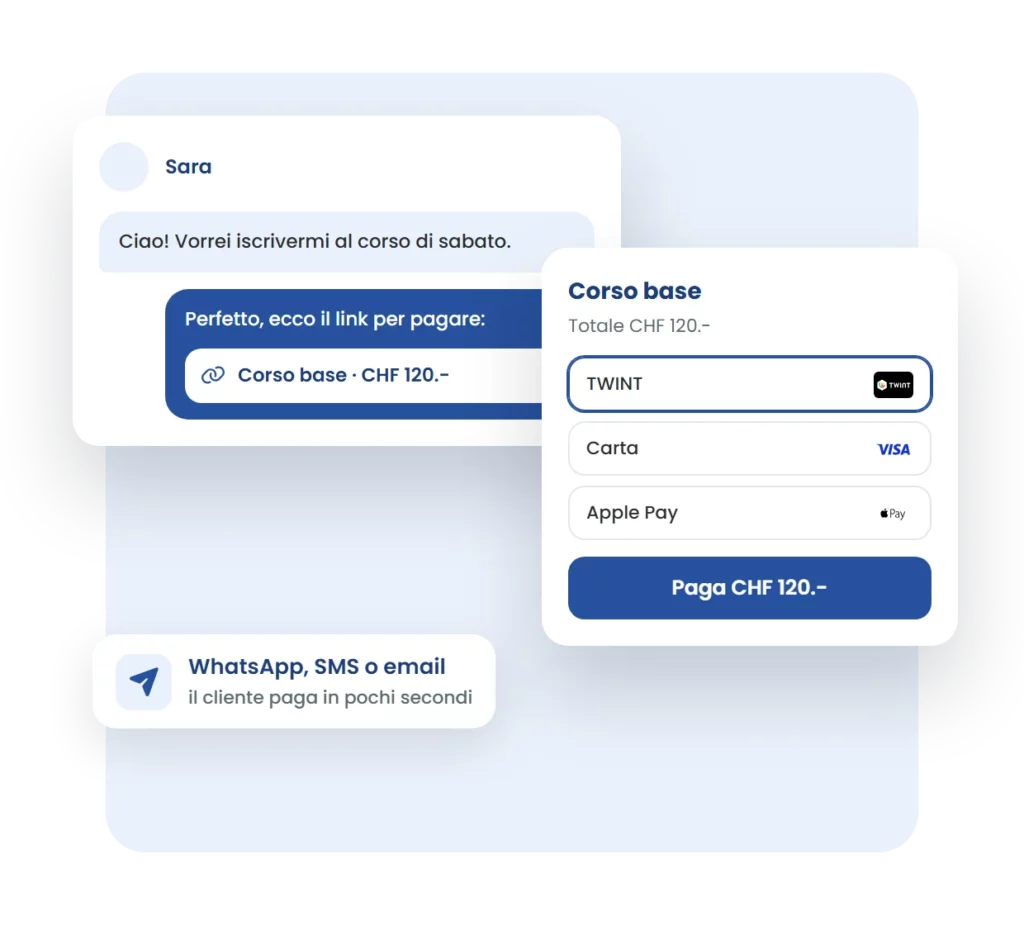
A payment link is an address you create in your account that leads to a secure payment page with the amount already set. Send it however you like: WhatsApp, SMS, email or a direct message on social media.
The customer opens it, chooses the method (TWINT, card, Apple Pay, Google Pay and the others you have active) and pays in seconds. No IBAN to copy, no transfers to check.
How it works
1. Create the link
In the dashboard you set the amount and description, for example "Beginner course, CHF 120.-".
2. Send it
Paste it into WhatsApp, SMS, email or a social media message.
3. Get paid
The customer pays with the method they prefer and you see the payment in the dashboard.
Why use payment links
No website needed
Sell online even without an online shop.
Instant payment
The customer pays while they are still convinced, not "tomorrow by transfer".
Every method
TWINT, cards and wallets on the same page.
Deposits and quotes
Take the deposit straight away when a customer accepts the quote.
Payment links in detail
Amount and currency
Amount in CHF, EUR or USD. If you like, the customer writes the payment description.
Sent from the dashboard
By email to one or more recipients, now or later, in English, German, French or Italian. Or copy the link and send it on WhatsApp.
Automatic reminders
If the customer doesn't pay, the link is sent again after the days you choose, up to the number of attempts you set.
Attachments
Up to three files, PDFs or images, for example the quote or the contract.
Expiry date
The link can stay valid indefinitely or expire on the date you set.
Payment type
One-off, subscription, pre-authorisation or tokenisation for later payments.
Your brand
Your business logo and colours, plus the page title and pay button text of your choice.
Customer details
Ask only for what you need: name, company, address, phone, date of birth, acceptance of terms and privacy.
Use cases
- Social media sales: the customer asks the price, you reply with the link.
- Accepted quotes: take the deposit straight away.
- Phone sales: send the link during the call.
- Sign-ups for courses, fees and events.
Not just payment links
The same account gives you every other payment feature.
They are included in every plan, even the free one, with no complicated activation.
E-commerce integration
Connect your WooCommerce, Shopify or other platform shop and accept every method with a single contract.
QR payments
A QR code for a fixed or open amount: with the TWINT app the customer pays straight away, with the camera they choose from every method.
POS terminal
Nexgo N86 with printer or compact N6, SIM included: CHF 25.- a month.
Tap to Pay
Your Android smartphone becomes a terminal: cards, wallets and TWINT, no hardware.
Invoices
Create and send digital invoices: the customer pays them online with the method they prefer.
Virtual terminal
Get paid remotely or on site with a smartphone, tablet or computer, no physical terminal.
Shop pages
Create an online shop and product pages right in 1pay.ch, without an expensive e-commerce site.
Donations
Collect one-off or recurring donations with unlimited forms, even without a website.
API / Webhook
Integrate every payment method into your software or app, with real-time notifications.
Payment links: frequently asked questions
Yes. You create the link in the dashboard, copy it and send it by text message, WhatsApp or email while you are still on the phone. The customer opens it on their smartphone and pays with TWINT, card or the other methods you have activated.
No. They open the link, choose a method (TWINT, card, Apple Pay, Google Pay or any other you have enabled) and pay in a few seconds.
You can turn on automatic reminders: the link is sent again after the number of days you choose, as many times as you decide.
Your choice: it can stay valid indefinitely or expire on a date you set.
Yes. Besides one-off payments you can choose subscription, pre-authorisation or tokenisation for later charges. For a deposit, just send a link with the deposit amount.
Amounts in CHF, EUR or USD. The email with the link goes out in English, German, French or Italian, or you copy the link into WhatsApp.
Useful free tools
Payment remindersYour reminder ready for WhatsApp or email, in the right tone.Open the tool →Net price calculatorHow much to charge to receive the amount you want, fee included.Open the tool →«You can pay here with» signChoose the methods you accept and print the sign for your till or stall, in A4, A5 or A6.Open the tool →


