
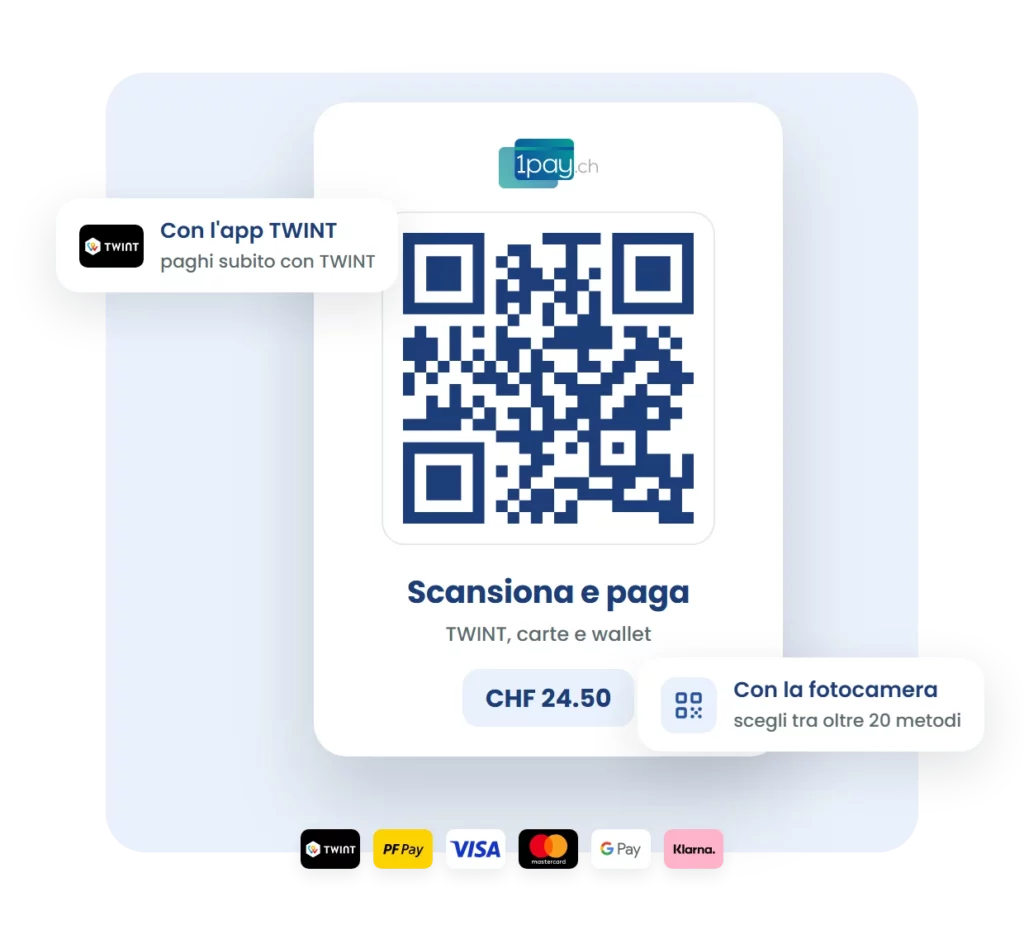
With 1pay.ch QR payments you create a QR code for a fixed or open amount in seconds. The customer scans it with TWINT or their phone camera and pays instantly with their preferred method.
No physical terminal needed: show the code on a screen, print it on a sign or a menu, or share it online. It is the ideal solution if you sell outside a traditional shop (at a market, an event, on a home delivery), or want a simple, free alternative to the POS terminal.
How it works
1. Create the code
In your 1pay.ch dashboard you create a QR code for a fixed amount (e.g. CHF 20.-) or let the customer enter the amount.
2. Show or print it
Show the code on a smartphone or tablet, or print it on a sign, a menu or a receipt: it stays valid until you deactivate it.
3. Your customer pays
A scan with TWINT or the camera is enough: the payment is credited to your 1pay.ch account in real time.
Main benefits
With QR Pay you do not need a terminal: you create the code in the dashboard, show it or print it, and the customer pays with their phone.
With the TWINT app the payment goes straight through TWINT; with the camera, the page with every method you activated opens up.
No hardware
No need to buy or rent a terminal: a QR code from the dashboard is all it takes.
Fixed or open amounts
Set a fixed price or let the customer choose: perfect for donations or tips.
Works with TWINT
Switzerland's most popular payment method, plus cards and digital wallets.
Made for the move
Ideal for markets, stalls, events, fairs and home deliveries.
QR payments in detail
Fixed, minimum or open amount
Set the amount, set a minimum or let the customer decide. In CHF, EUR or USD.
Scan with the TWINT app
Turn the option on when you create the code: whoever scans it with the TWINT app pays straight away. It is chosen at the start and can't be changed later.
Scan with the camera
With the phone camera, the payment page opens with every method active on your account.
Optional details
If you need them, ask for the payment purpose, name, address, contact details and acceptance of your terms.
Payment alerts
The notification for each payment can also go to other email addresses, for example to whoever runs the till.
Your brand
The payment page shows your logo and colours. You choose which payment methods to offer.
Use cases
- Flea markets, stalls and weekly markets, where a terminal would be awkward to manage.
- Events and fairs, with a single QR code at the till or at each stand.
- Home deliveries and on-call services, showing the code right to the customer.
- Restaurants and venues that want to offer payment at the table without a dedicated terminal.
- As a backup for the payment terminal, if connection or battery fails.
Not just QR payments
The same account gives you every other payment feature.
They are included in every plan, even the free one, with no complicated activation.
E-commerce integration
Connect your WooCommerce, Shopify or other platform shop and accept every method with a single contract.
POS terminal
Nexgo N86 with printer or compact N6, SIM included: CHF 25.- a month.
Tap to Pay
Your Android smartphone becomes a terminal: cards, wallets and TWINT, no hardware.
Payment links
Send a link by WhatsApp, SMS or email: the customer pays in seconds.
Invoices
Create and send digital invoices: the customer pays them online with the method they prefer.
Virtual terminal
Get paid remotely or on site with a smartphone, tablet or computer, no physical terminal.
Shop pages
Create an online shop and product pages right in 1pay.ch, without an expensive e-commerce site.
Donations
Collect one-off or recurring donations with unlimited forms, even without a website.
API / Webhook
Integrate every payment method into your software or app, with real-time notifications.
QR payments: frequently asked questions
No. You create the code in your dashboard and show it on a screen or print it on a sign, a menu or a receipt.
With the TWINT app they pay straight away with TWINT. With the camera, a page opens with every method you have enabled: cards, wallets and more.
Yes. You can set a fixed amount, a minimum or leave it open, in CHF, EUR or USD. Handy for donations and tips.
No, it stays valid until you deactivate it: print it once and use it as often as you like.
No. A QR-bill is paid by bank transfer in e-banking. A QR Pay code starts an instant payment by TWINT, card or wallet, which you see right away in your dashboard.
Useful free tools
What does cash cost you?Time to count and deposit, fees and differences: the real cost of cash, with your own figures.Open the tool →«You can pay here with» signChoose the methods you accept and print the sign for your till or stall, in A4, A5 or A6.Open the tool →Event payments checklist17 checks to tick off or print, from a week before to after the market or party.Open the tool →


